
🚀 Start Test
From the Tests tab press the + button at the top of the screen or the Start a test button at the bottom of the screen.
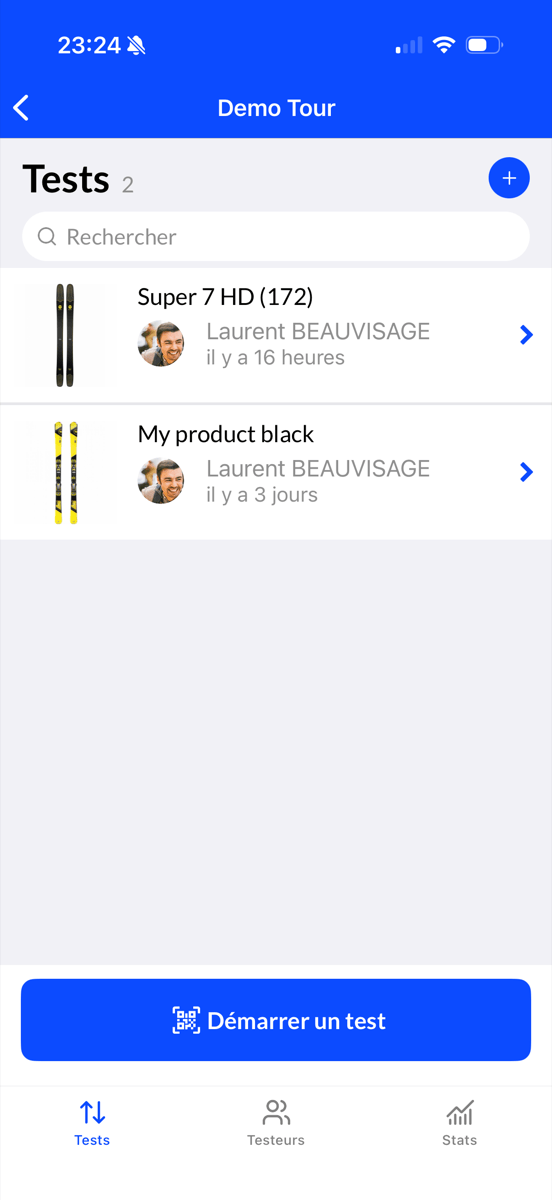
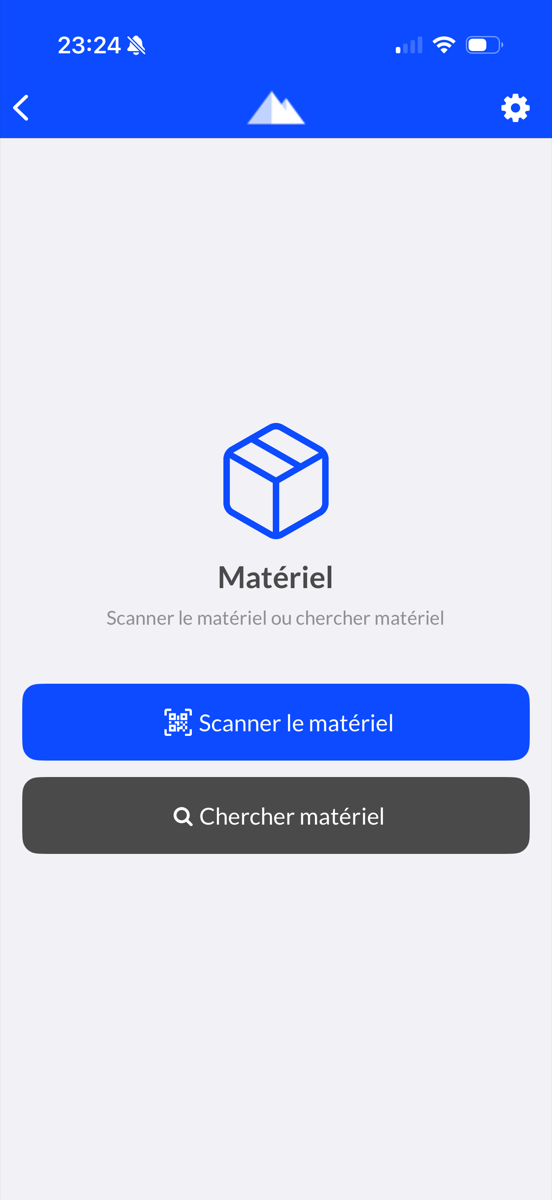
Product Selection
To scan a product barcode press the Scan equipment button.
Otherwise you can search for a product by clicking on Search equipment and then typing the product name in the search bar.
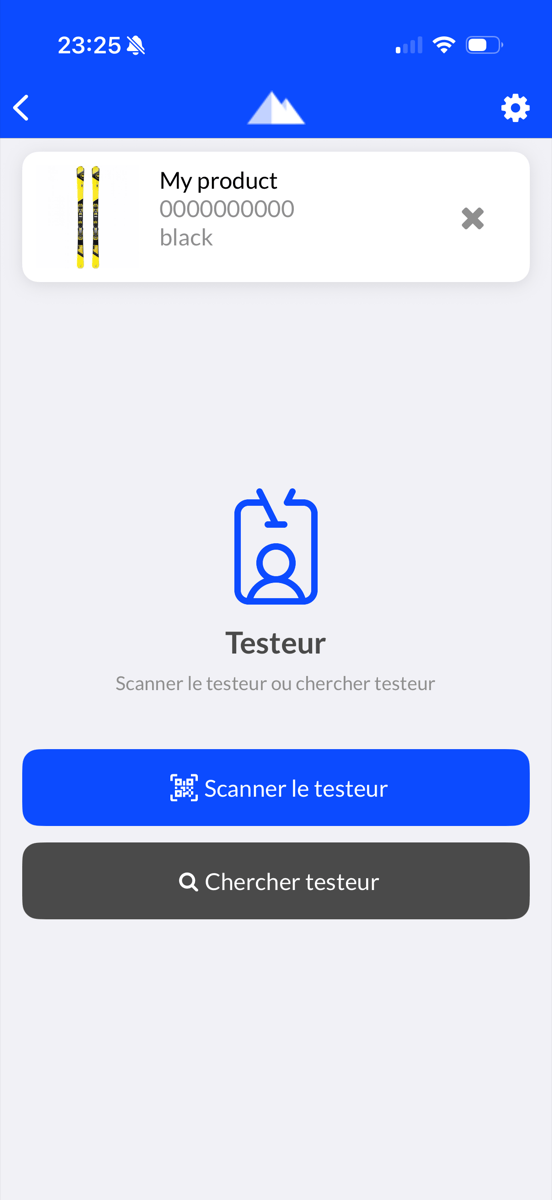
Tester Selection
The product is selected.
Now you need to identify the tester. You can scan the barcode of the participants using the Scan tester button or by clicking on Search tester and then typing the tester name in the search bar.
Register new participants
If you have to register participants, please refer to the Register Tester section.
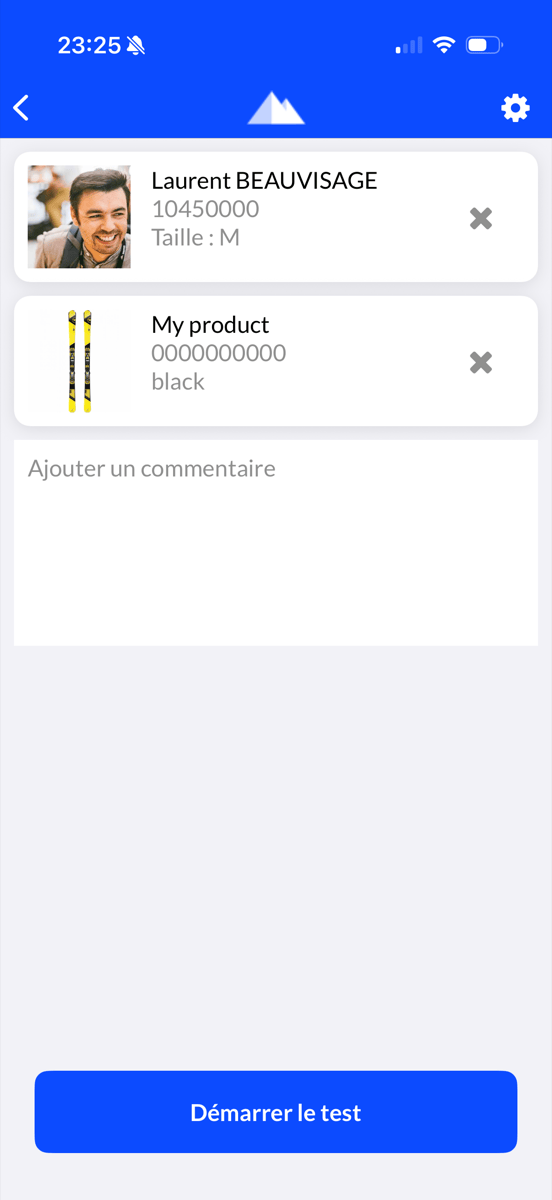
Start Test
Once the product and the tester have been identified, press Start test.
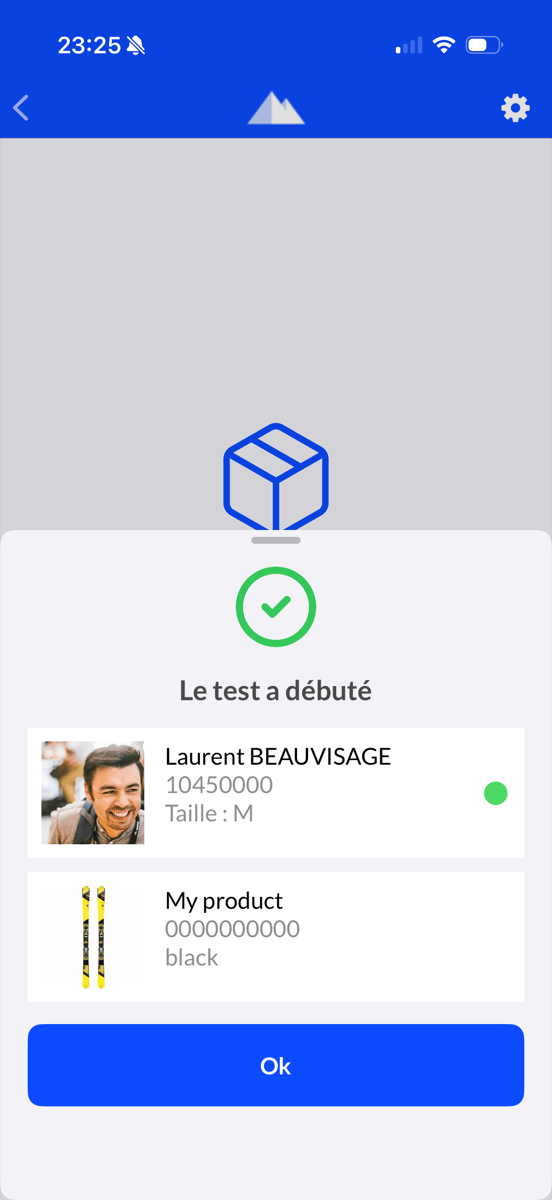
The start of the test is confirmed.
Press OK to hide the confirmation and return to the list of tests in progress.
Attention
Make sure the confirmation screen is displayed.